AI that reads your invoices and receipts, and files them against the right job
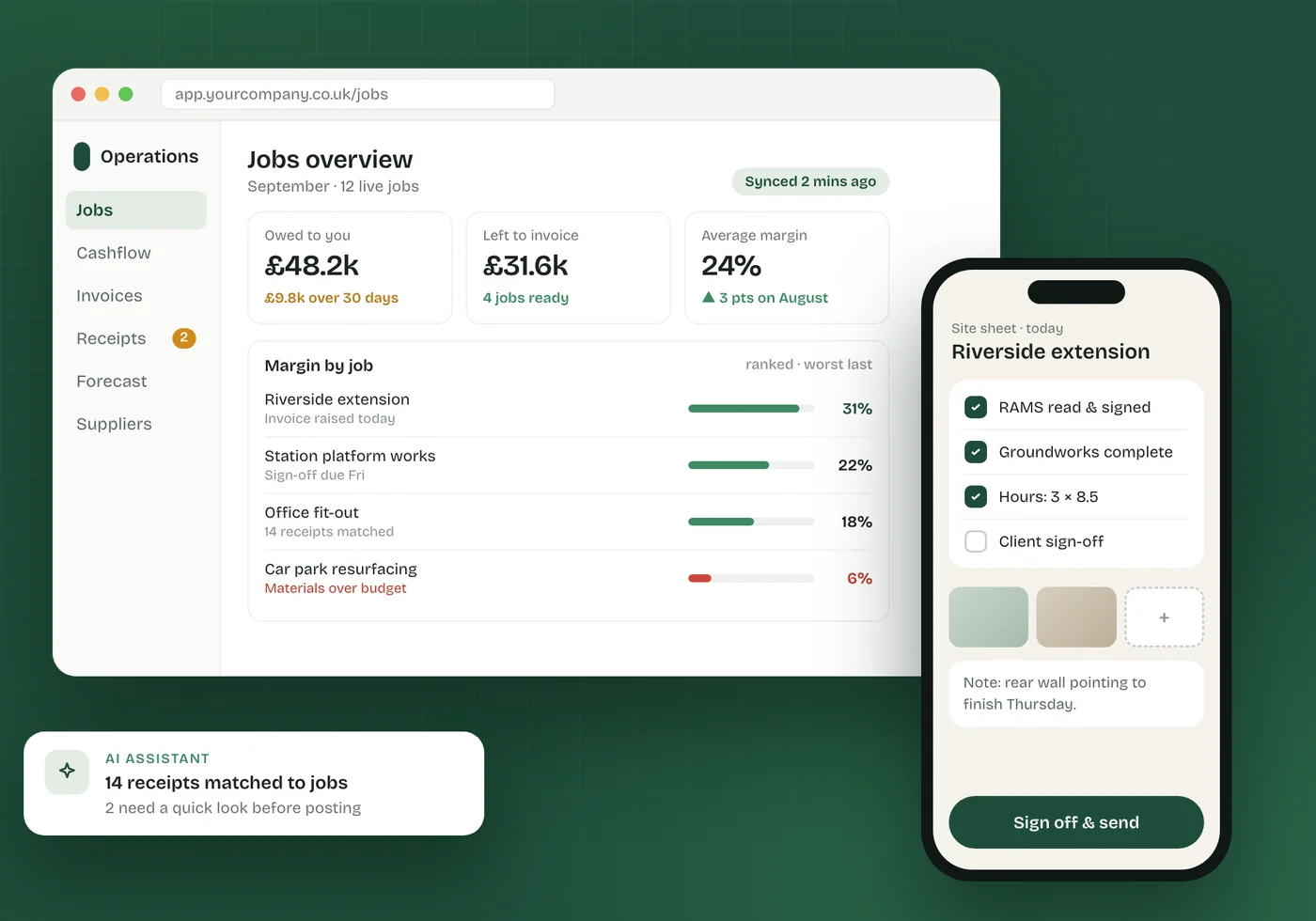
Upload a month of supplier invoices, receipts and delivery tickets — PDFs, scans or phone photos. The system reads each one, pulls out the figures and matches it to the job it belongs to. Anything it isn’t sure about waits for a person.
The paperwork arrives faster than anyone can type it
Every job generates receipts, supplier invoices and tickets. Someone has to read each one, work out which job it belongs to and key it in — usually at the end of the month, in a hurry, from a carrier bag.
- Receipts typed in one at a time, or not at all
- Costs landing against the wrong job, so margins can’t be trusted
- The same invoice entered twice and paid twice
- Photos, scans, PDFs and emails all needing different handling
- No easy route from a figure on a report back to the document behind it
Read, match, check — then ask
Reads what you already have
PDFs, scans, phone photos, spreadsheets and Word documents, uploaded in bulk. No special scanner and no fixed template.
Pulls out the figures
Supplier, date, net, VAT and gross, plus any job or order reference on the page.
Matches to the right job
Each document is filed against the contract or job it belongs to, using the reference where there is one and the supplier and details where there isn’t.
Checks before it posts
Rules flag the same cost entered twice, figures that don’t add up and anything billed past its value.
A person decides the rest
Anything uncertain waits in a review queue, grouped by supplier, so someone can approve a batch in one go. Nothing is guessed.
Every figure traceable
From a number on the dashboard you can click through to the ledger line and the original document it came from.
Four steps, one of them yours
- 1
Upload
Drop in the month’s documents in one go, or forward them as they arrive.
- 2
Read
Each document is read and its figures extracted, whatever format it came in.
- 3
Match
Every line is filed against the job it belongs to and checked against the rules.
- 4
Approve
You review the short list the system wasn’t sure about, and approve or correct it.
Built and running in real businesses
Contracts, Cashflow & Document Management System
Contracts, CIS, VAT and cashflow for a construction company, with receipts and invoices read and matched to jobs automatically.
Read the case studyServiceAI agents & workflow automation
Document processing is one piece. See how we use AI across the rest of the admin, with a person in charge of every decision that matters.
Explore the serviceFrequently asked questions
How accurate is AI at reading invoices and receipts?
Good on clear documents, less reliable on blurred photos, handwriting and unusual layouts — which is why the system never guesses. Anything it isn’t confident about goes to a review queue for a person to check, and you approve those before they’re posted.
Does it work with photos taken on a phone?
Yes. Phone photos, scans and PDFs are all read the same way. A photo that’s too blurred to read is flagged rather than guessed at.
Will it connect to our accounting software?
We agree that on the free call. Depending on your accounts package it’s either a direct connection or a file your accounts software imports. Your accounting package keeps doing the statutory accounts either way.
Is this a product or a bespoke build?
It’s built into a system shaped around your business, because the valuable part is matching documents to your jobs, contracts or cost codes. After a free chat we give you a fixed quote.
Where is our data kept?
In the UK. Documents and figures are encrypted, access is controlled by role and every change is logged.
How many invoices and receipts do you key in each month?
Tell us roughly how many documents you handle and where they need to end up. We’ll give you an honest view of what can be automated. We reply within one working day.