Fuel card cost tracking
A live fuel cost dashboard for a services company running eleven fuel cards. Weekly invoices go in; spend by driver, vehicle, card and month comes out — with every line checked against the invoice, and wrongly keyed registrations caught automatically.
- Client
- Services company
- Fuel cards
- 11
- Invoices loaded
- 40 weekly
- Built as
- Web dashboard
Paying the fuel bill without knowing where it went
Fuel card invoices arrived every week as a list of transactions. The total was easy to pay; working out who spent what, on which vehicle, and whether it was reasonable meant hours in a spreadsheet — so mostly it didn’t happen.
- Weekly invoices, but no running view of the year or the month
- No easy way to compare drivers, vehicles or cards
- Registrations typed by hand at the pump, often wrongly — so costs landed against vehicles that didn’t exist
- Account charges spread across the whole account rather than each card
- A missing invoice could go unnoticed and quietly understate the month
Every litre, every card, every invoice — in one place
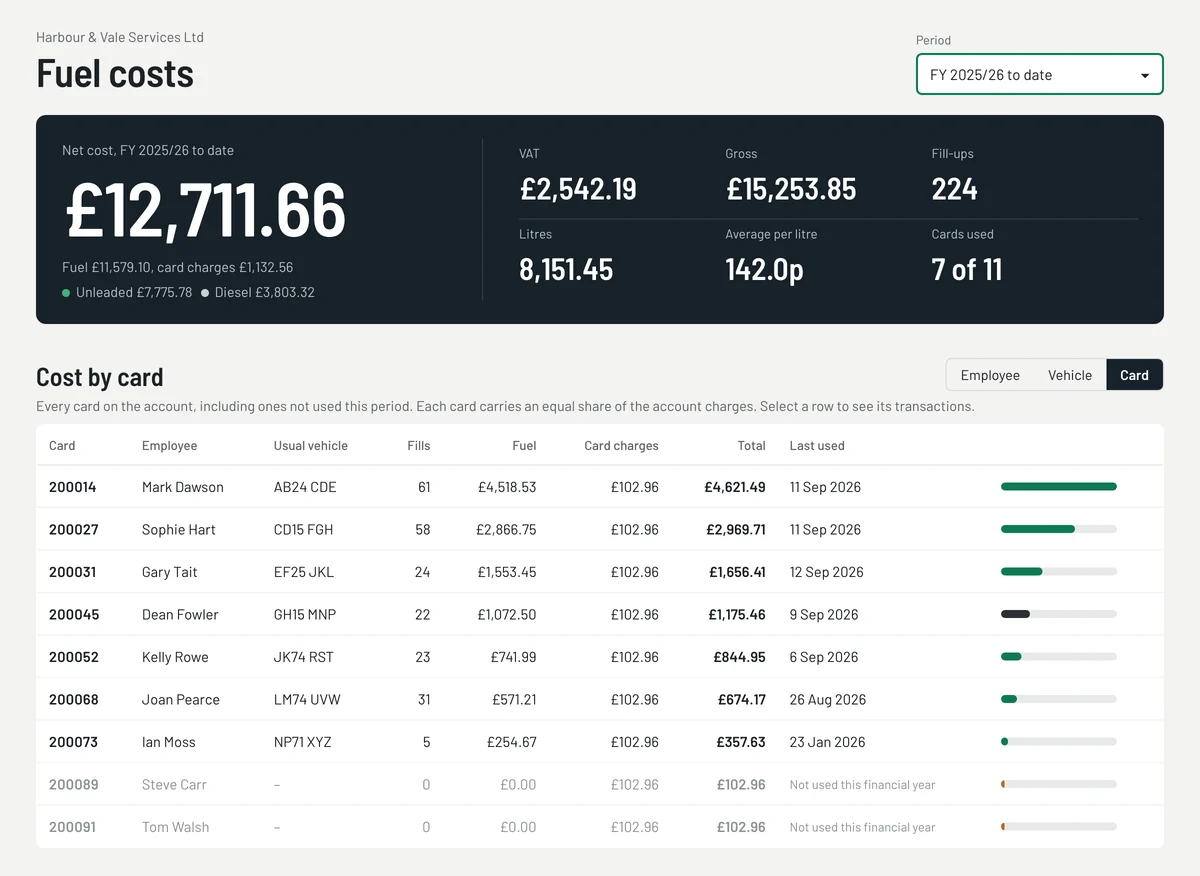
Year, month or week at a glance
Net, VAT and gross spend, fill-ups, litres and average price per litre for any period, with unleaded and diesel split out.
By driver, vehicle or card
Switch between employee, vehicle and card views. Unused cards stay visible, carrying their share of the account charges.
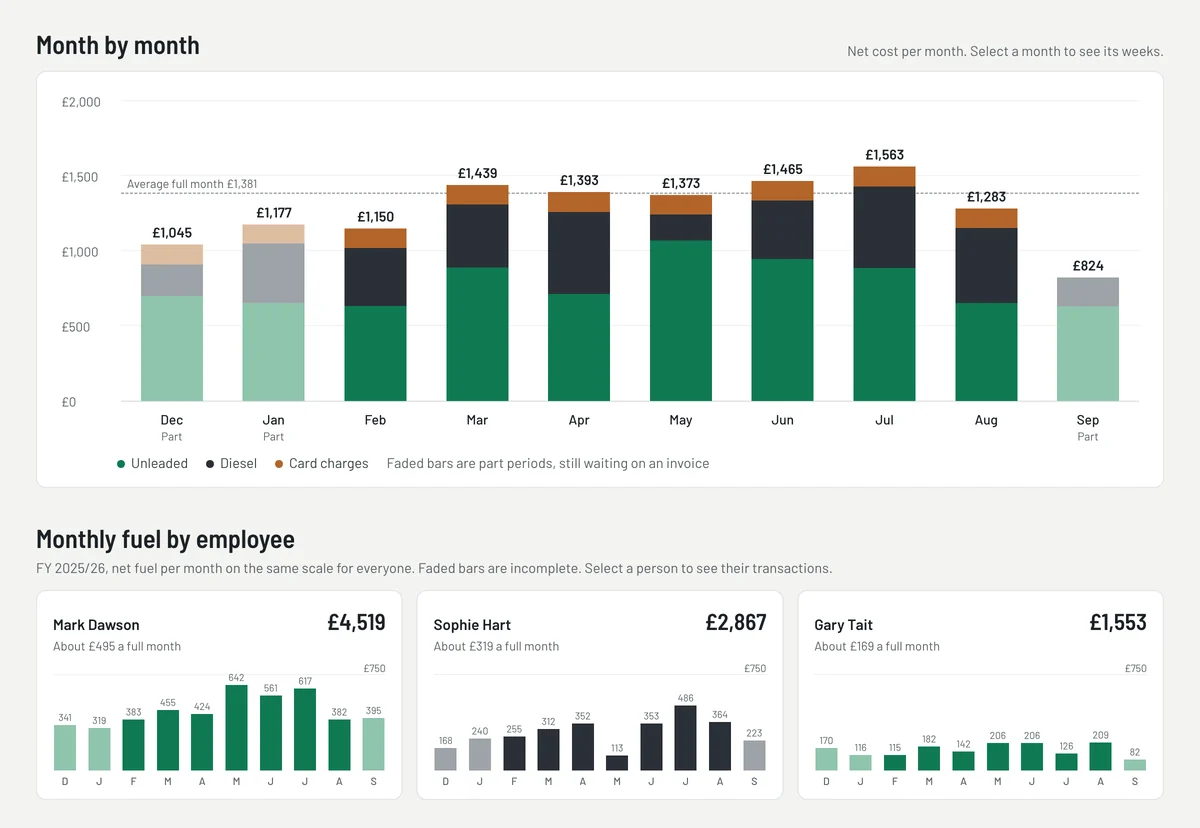
Month by month
Stacked monthly spend against the average full month, with part periods faded until their invoice arrives — plus a small chart per driver on the same scale.
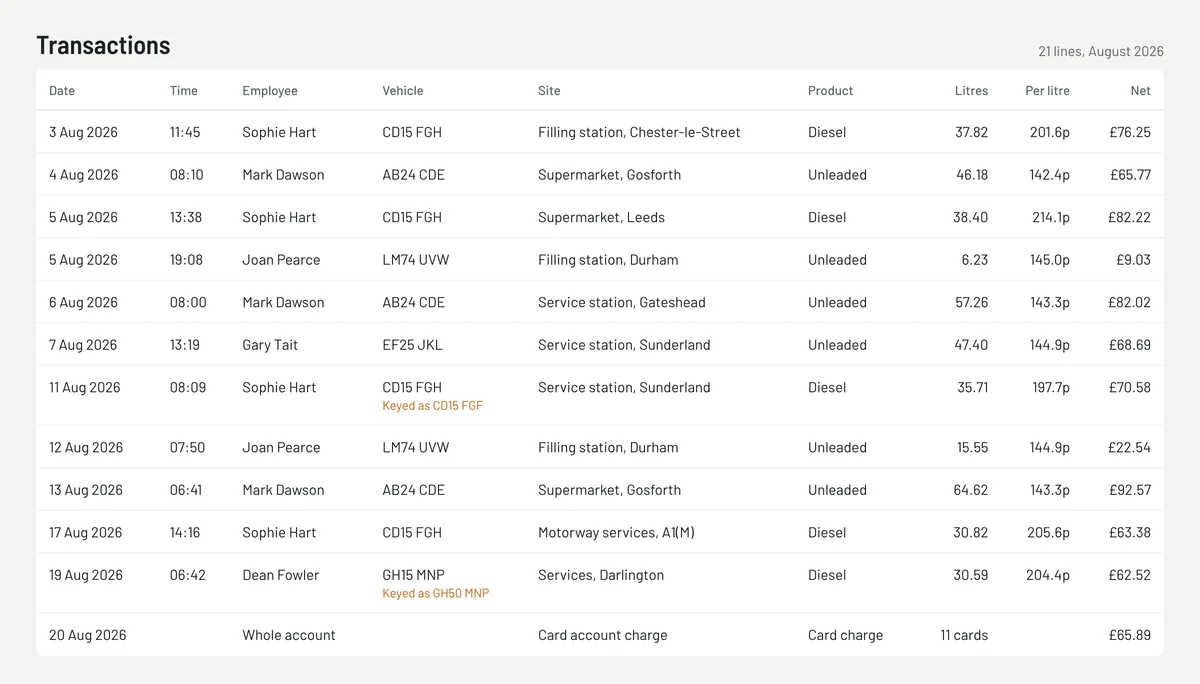
Registrations corrected
Costs are allocated by card, so a mistyped registration at the pump is flagged against the right vehicle instead of creating a phantom one.
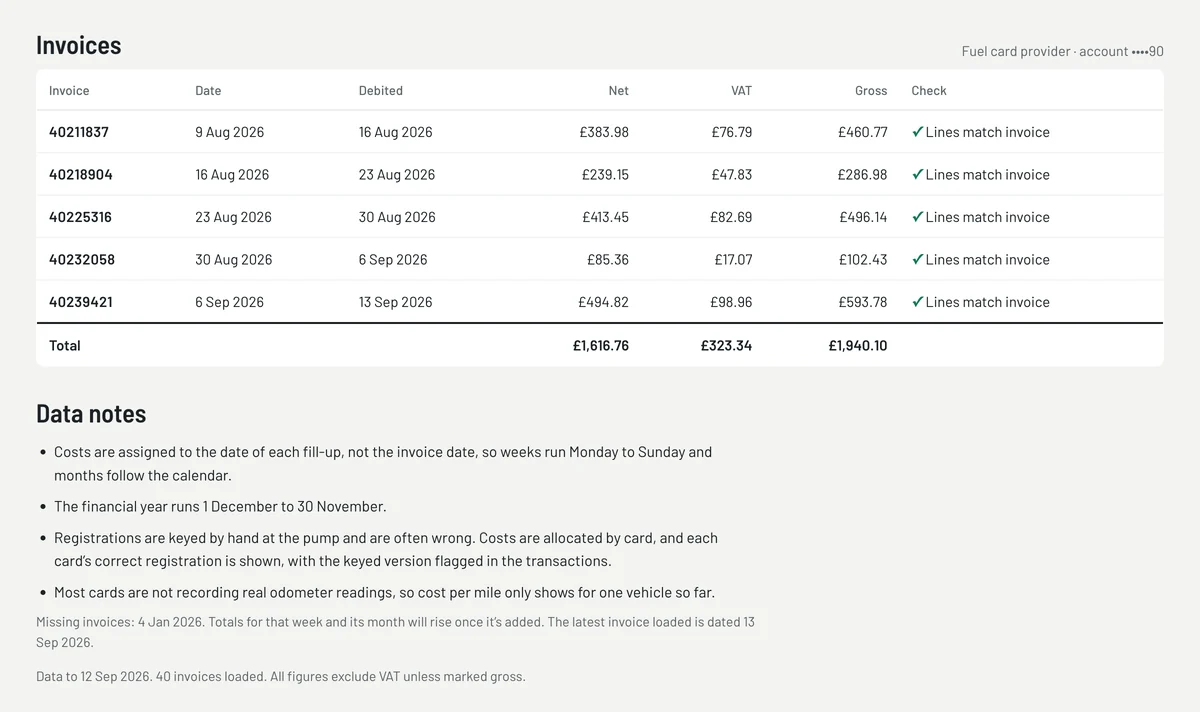
Checked against the invoice
Each invoice is reconciled line by line, with a clear “Lines match invoice” check and totals for net, VAT and gross.
Gaps spotted automatically
Missing invoices are listed, so the team knows exactly which week and month will change once it’s added.
Invoices in, answers out
- 1
Load the invoices
Weekly fuel card invoices are imported as they arrive — the whole history in one go at the start.
- 2
Allocate by card
Every line is assigned to the card, its driver and their usual vehicle, with account charges shared fairly.
- 3
Check and flag
Totals are reconciled to each invoice, wrong registrations flagged and missing weeks listed.
- 4
Look it up
Pick any year, month or week and drill from the total down to a single fill-up.
Get the same dashboard
Fuel Tracker
This dashboard, set up for your fuel cards: spend by driver, vehicle and month, every line checked against the invoice.
See what’s includedPackage · from £2,950Ops Pulse
Want fuel alongside jobs, team and cash? Ops Pulse puts the whole business on one screen, live in 21 days.
Explore Ops PulseLosing sight of what your fleet costs?
Tell us how you track fuel, mileage or vehicle costs today. We’ll talk through what a dashboard like this could show you. We reply within one working day.